Your book depot, on your phone
You cannot stand behind every counter. The BooksPOS Owner app shows each branch's day the way an owner thinks about it, and always says how fresh each figure is.
The screens an owner opens every day
Screens of the BooksPOS Owner app 1.1.0, rendered from the app's own code on synthetic demo data.
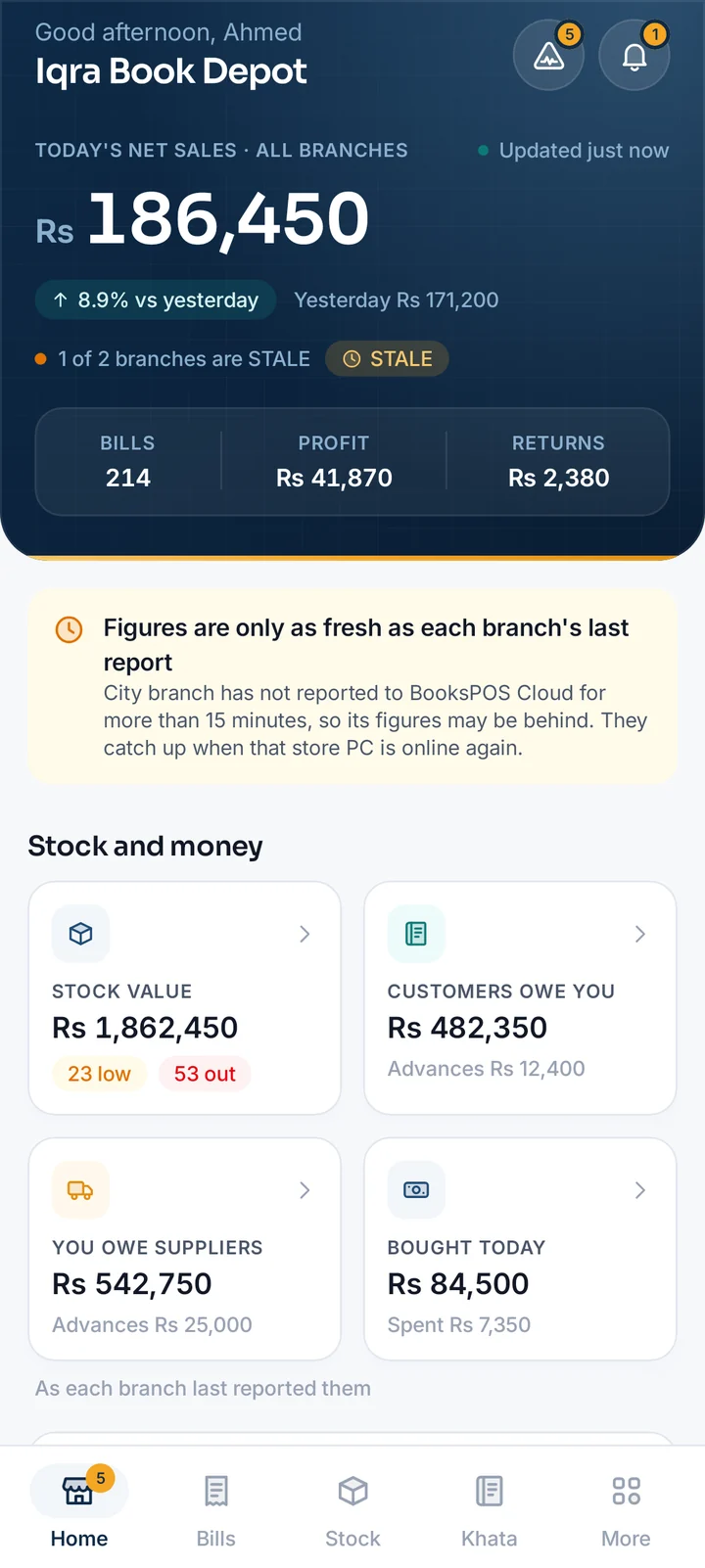
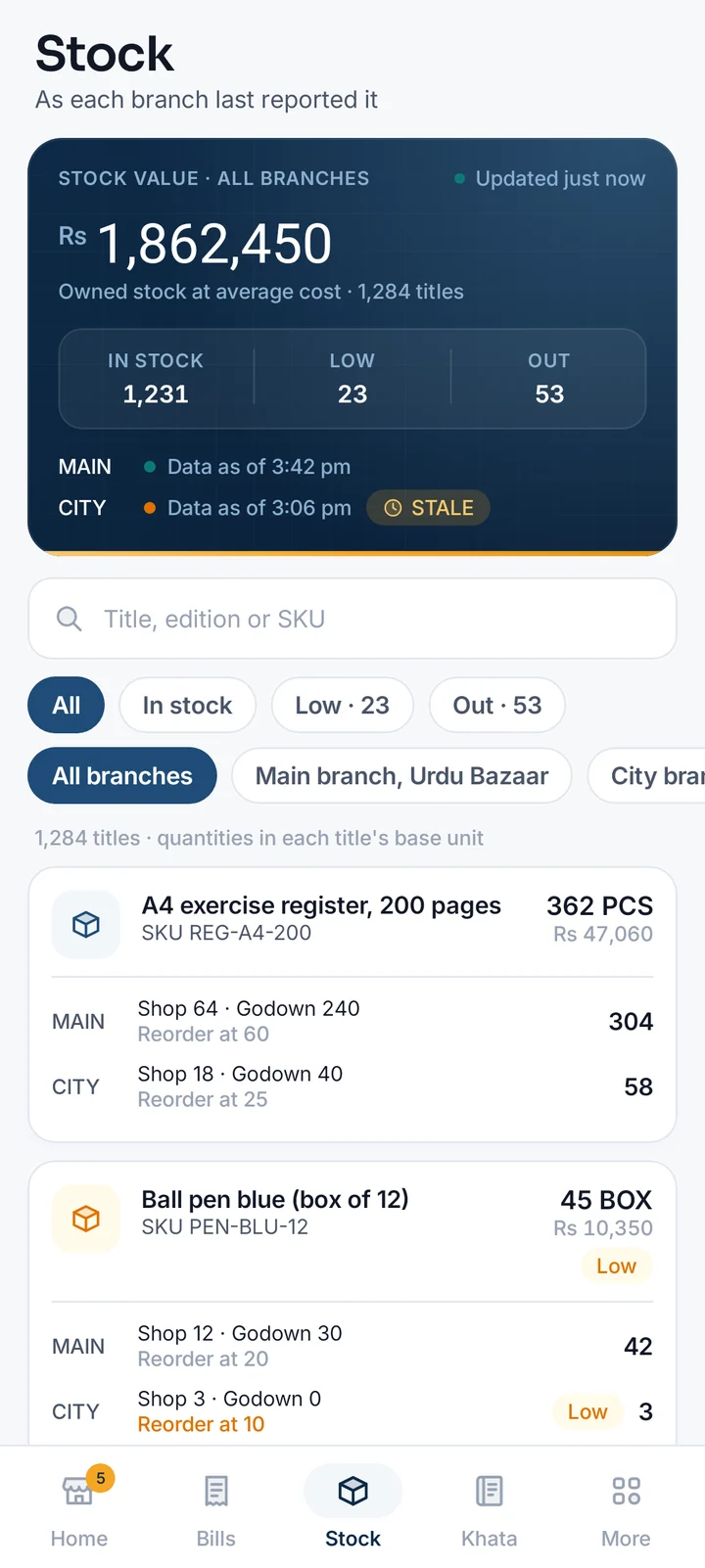
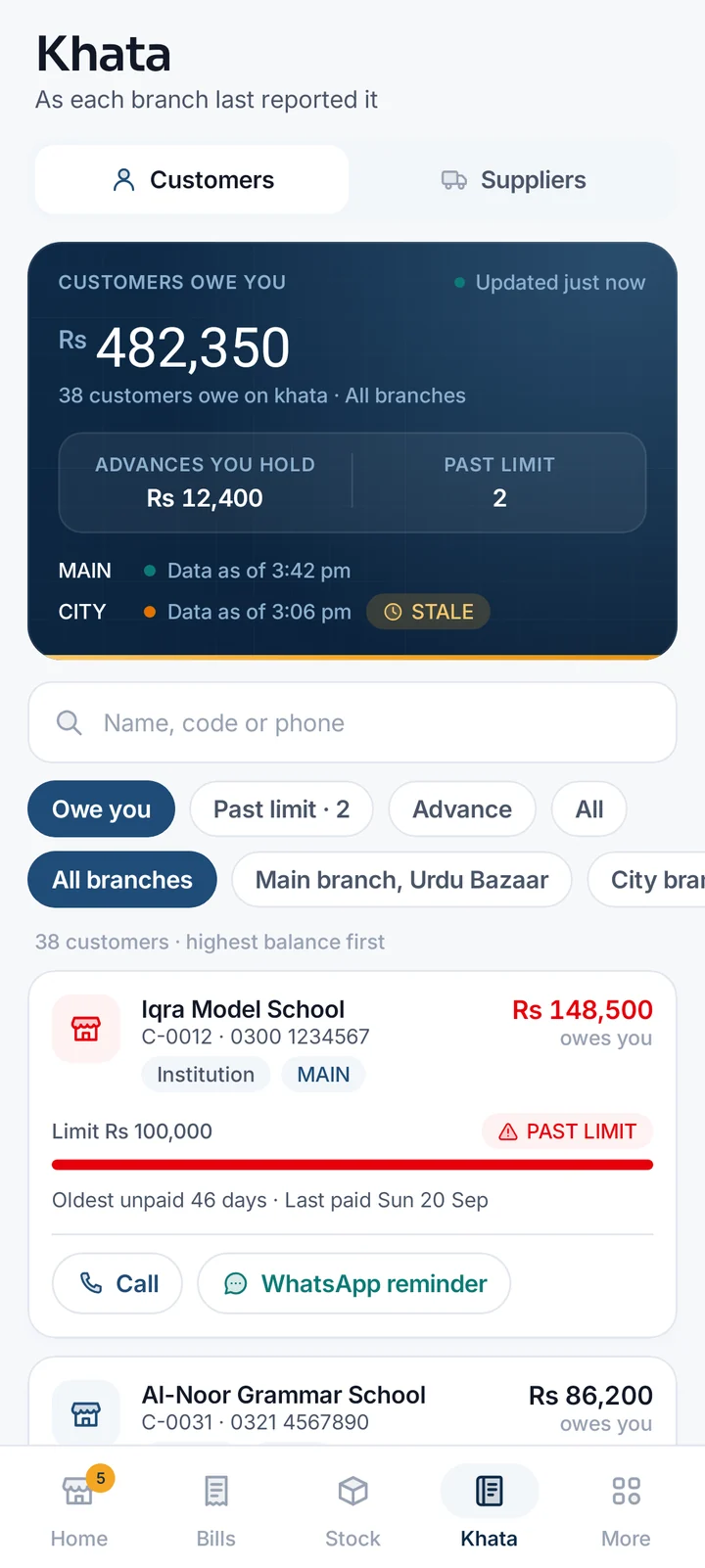
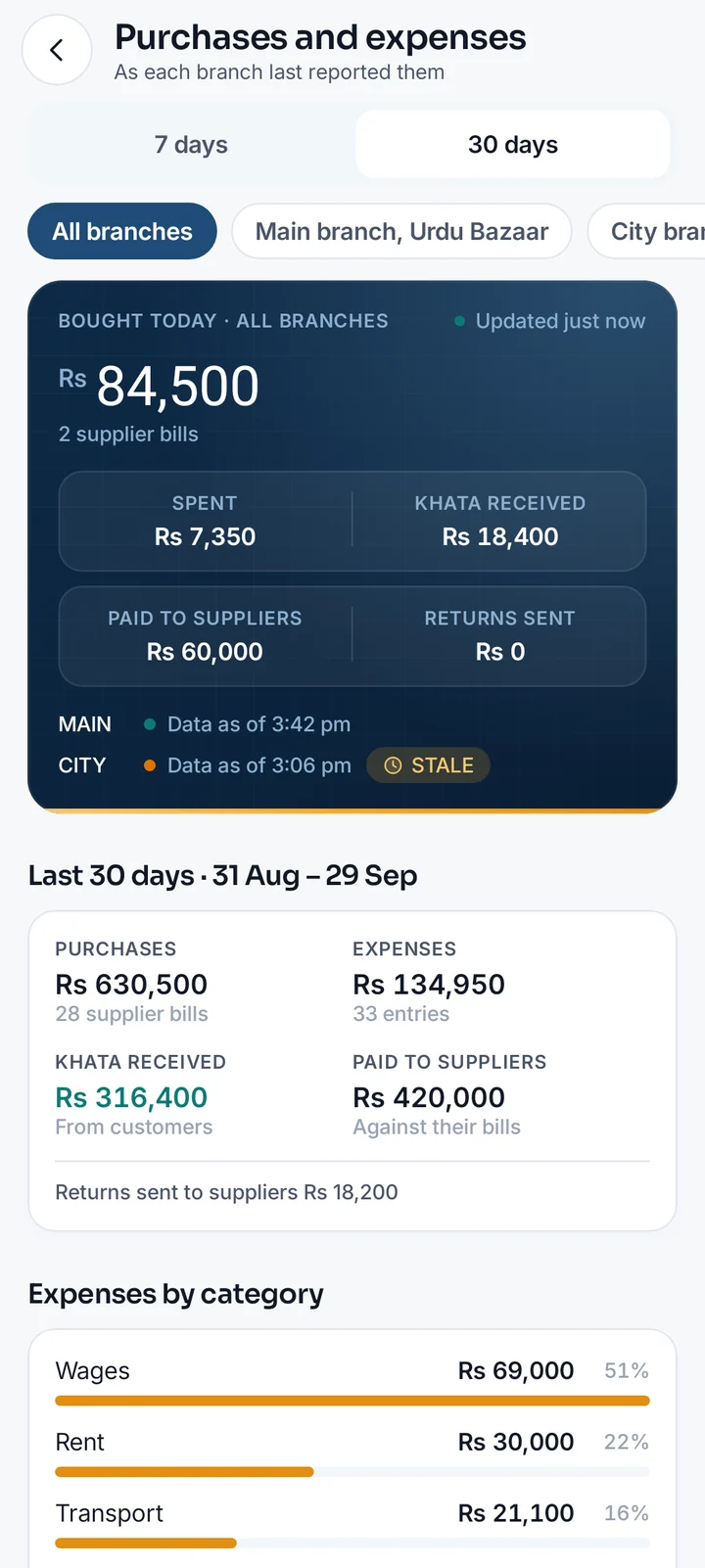
Your depot's day, in the order you think about it
Today against yesterday
Net sales, bills, profit and returns across your branches, and a card per branch with the time it last reported.
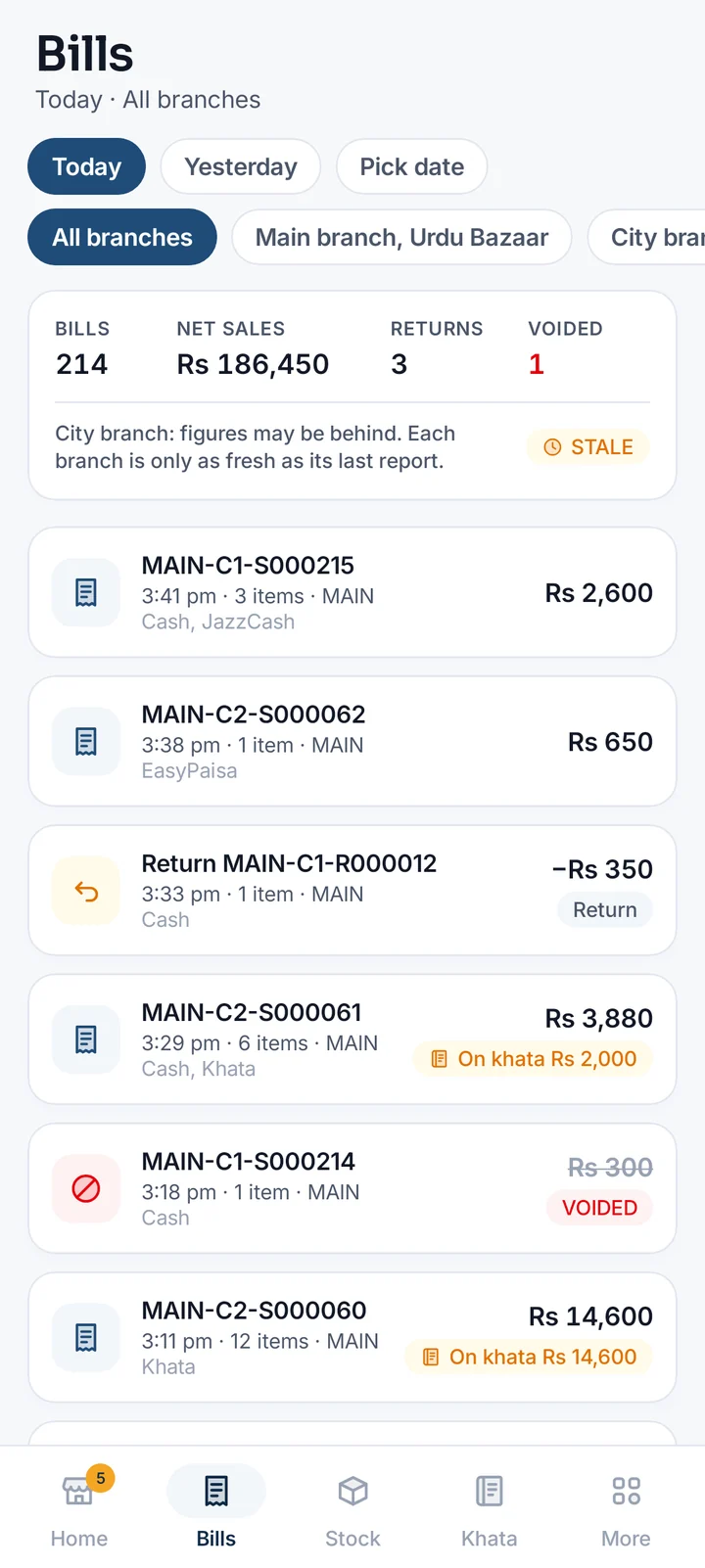
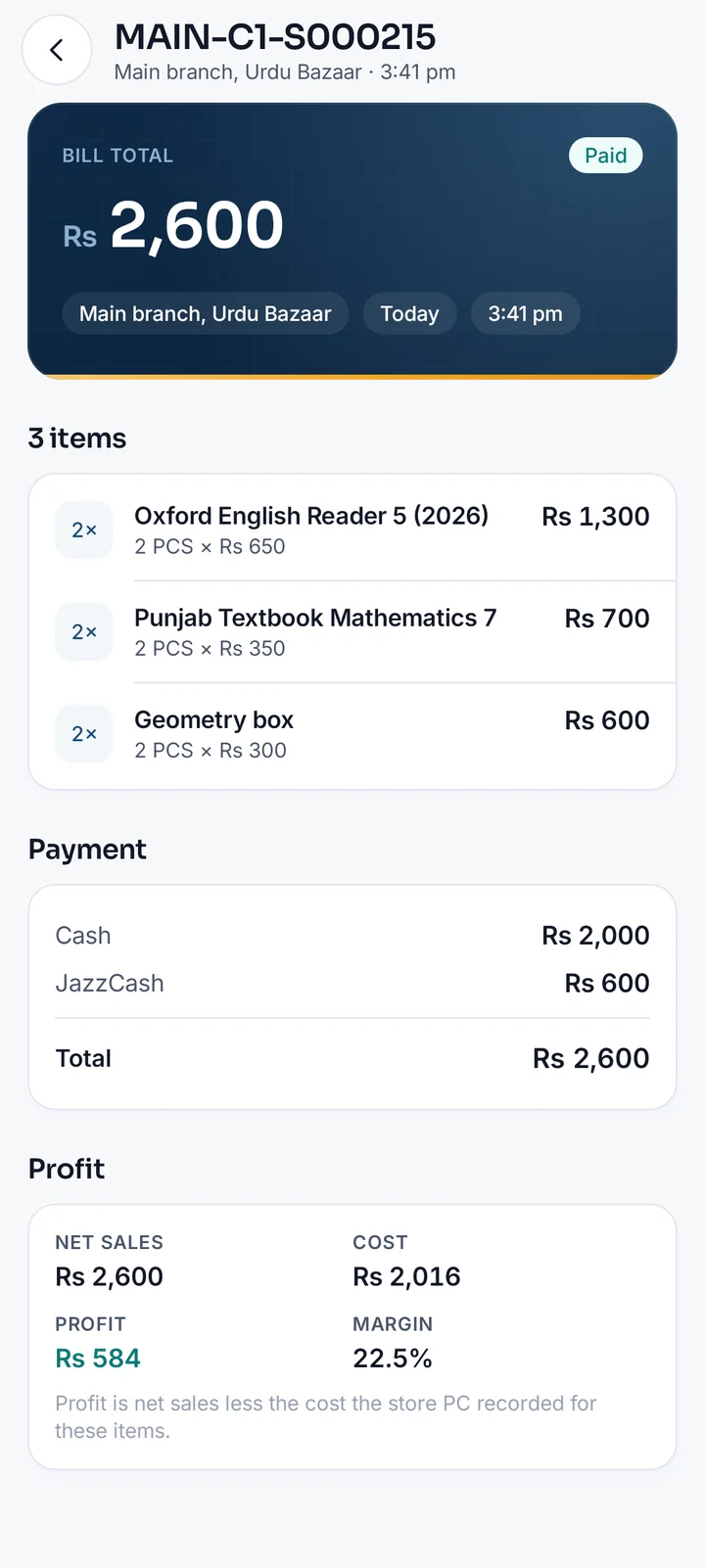
Every bill of any day
Pick a day and a branch: each bill and return, how it was paid, what is on khata, and which bills were voided and why.
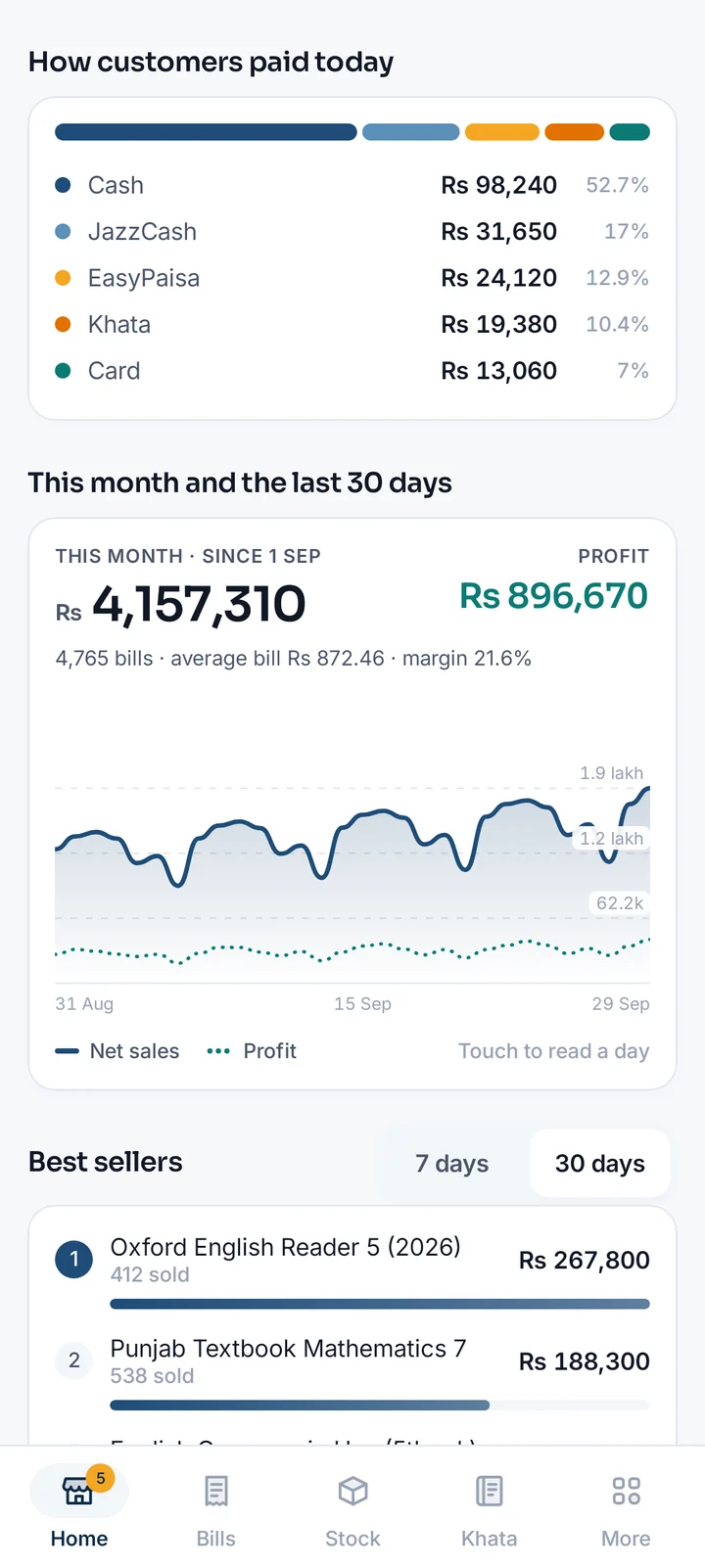
30 days and your best sellers
Sales and profit day by day, this month's average bill, how customers paid today, and the titles that sold most.
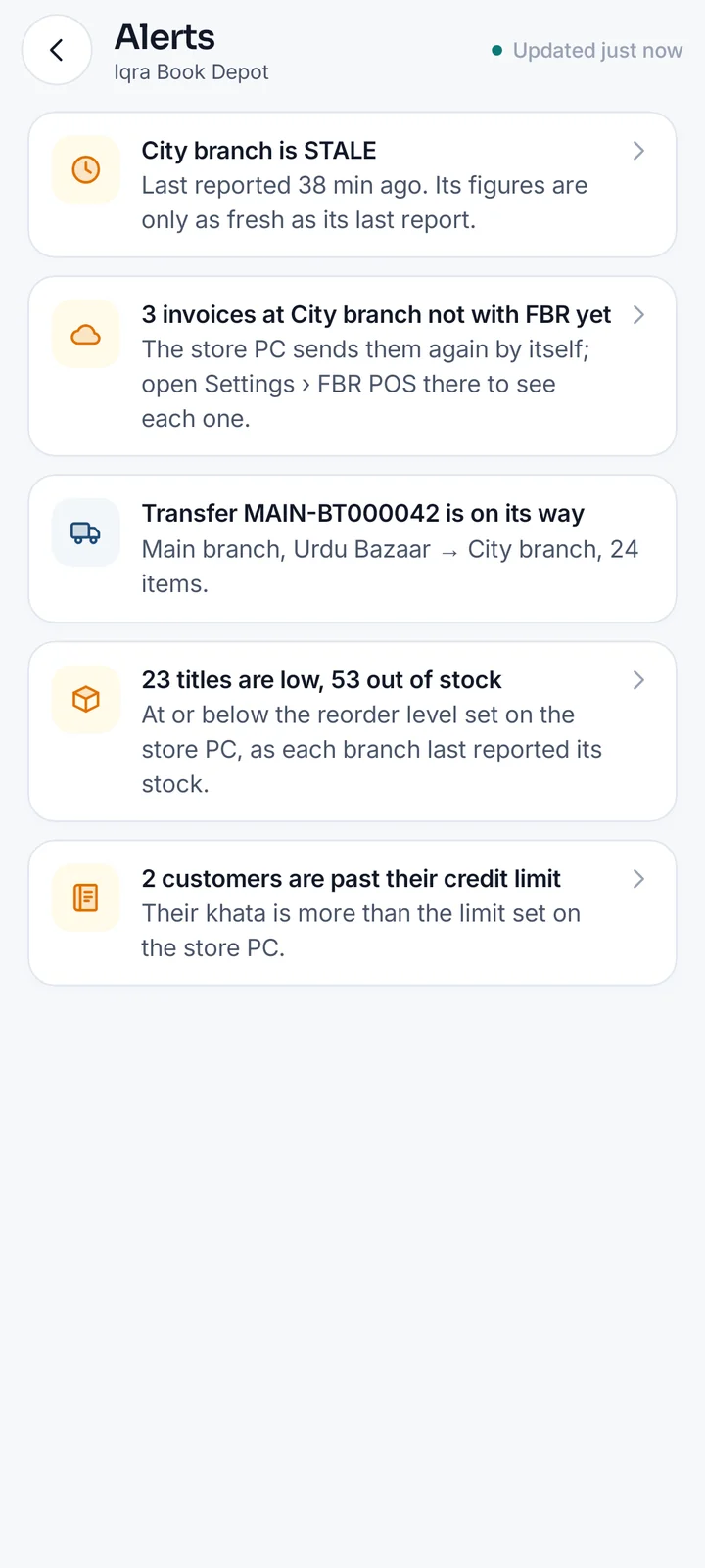
What needs you
A branch that went quiet, invoices not with FBR yet, stock transfers on their way, item changes to decide, and your plan.
Stock at every branch
How many copies each branch has on the shop floor and in the godown, what is low or out of stock, and each title's price and barcodes.
Khata and suppliers
Who owes you, who is past their credit limit and since when, with a call or WhatsApp reminder; what you owe suppliers; purchases and expenses by day.
Safe by design
Read-only. Two-step sign-in, an app lock with your fingerprint or PIN, bills and khata kept out of screenshots, and any phone signed out from the portal at once.
“Data as of”, on every figure
Each shop's PC is the record. It sends its new sales to BooksPOS Cloud every 15 seconds while it has internet, and keeps billing when it does not.
- Every branch shows its last report The time each branch last reported sits next to its figures. Nothing in the app is called live.
- STALE after 15 minutes A branch that has not reported for 15 minutes is marked STALE, so a quiet internet line is never mistaken for a quiet day.
- Straight from the bills Figures are added up from the bills and returns the store PCs sent; the cloud never recalculates a bill.
Three steps
- 1
Your shop on the Cloud edition
Your store PC paired with your BooksPOS account, on a Cloud plan or the free trial. It then sends each branch's sales to BooksPOS Cloud.
- 2
Install the app
Download the APK on your Android phone from this page. Android asks once to allow installing apps from your browser.
- 3
Sign in
With the email and password of your owner portal, and your authenticator code if you use two-step sign-in. Turn on the app lock under Settings.
BooksPOS-Owner-1.1.0.apk · SHA-256 2e61597f7160c943c13c03a1cfc3ac5b967caf878f83068c4d1b30f40e736c21
Frequently asked questions
Yes: the BooksPOS Owner app for Android. It shows each branch's sales today against yesterday, the last 30 days, how customers paid, best sellers, the bills of any day, items and prices, and what needs your attention, always with the time each branch last reported. Download it from this page.
Every Cloud plan, including the free trial. The app reads what your store PCs send to BooksPOS Cloud, so it needs the Cloud edition. An Offline edition shop keeps its sales on its own PC and never sends them, so the app has nothing to show for it, and says so.
They are as fresh as each branch's last report, and the app always shows that time. A store PC sends its new sales to the cloud every 15 seconds while it has internet; a branch that has not reported for 15 minutes is marked STALE, so you never mistake old figures for today's.
No. The app is read-only: it cannot bill, change prices, void bills or touch stock. Those stay on the shop's PC, where each person signs in with their own account.
With the same email and password as the owner portal at bookspos.pk. If you use two-step sign-in, the app asks for the code from your authenticator app, or a recovery code. You can lock the app with your phone's fingerprint or PIN.
Sign it out from the owner portal: Security, then Phones signed in to the Owner app. Its access stops at once. A phone not used for 30 days is signed out by itself.
Yes, when the store PC runs BooksPOS 0.9.7 or later: how many copies of each title every branch has on the shop floor and in the godown, what is low or out of stock, what each customer owes and what you owe suppliers, and purchases and expenses by day, each as the branch last reported it. They are only ever changed on the store PC.
Yes. Each size of a uniform is its own item in BooksPOS, so the app shows it with its size, such as "Shirt – City School (26)", with that size's stock at every branch. Uniforms need BooksPOS 1.0.0 or later on the store PC.
Download the APK from this page on your Android phone (Android 7.0 or later). Android asks once to allow installing apps from your browser: allow it for this download, then open the file.
Want your book depot's day on your phone?
Start a 14-day free trial, no card required, and download the Windows installer. We help you set it up if you ask.