School course sets: class lists, set billing and books still owed
Keep each school's class list, put a whole set on the bill at the till, and order what is not in stock for the parent. This works in the current build and is covered by automated tests. It has not been used in a real shop yet.
What works today
-
Schools and class lists
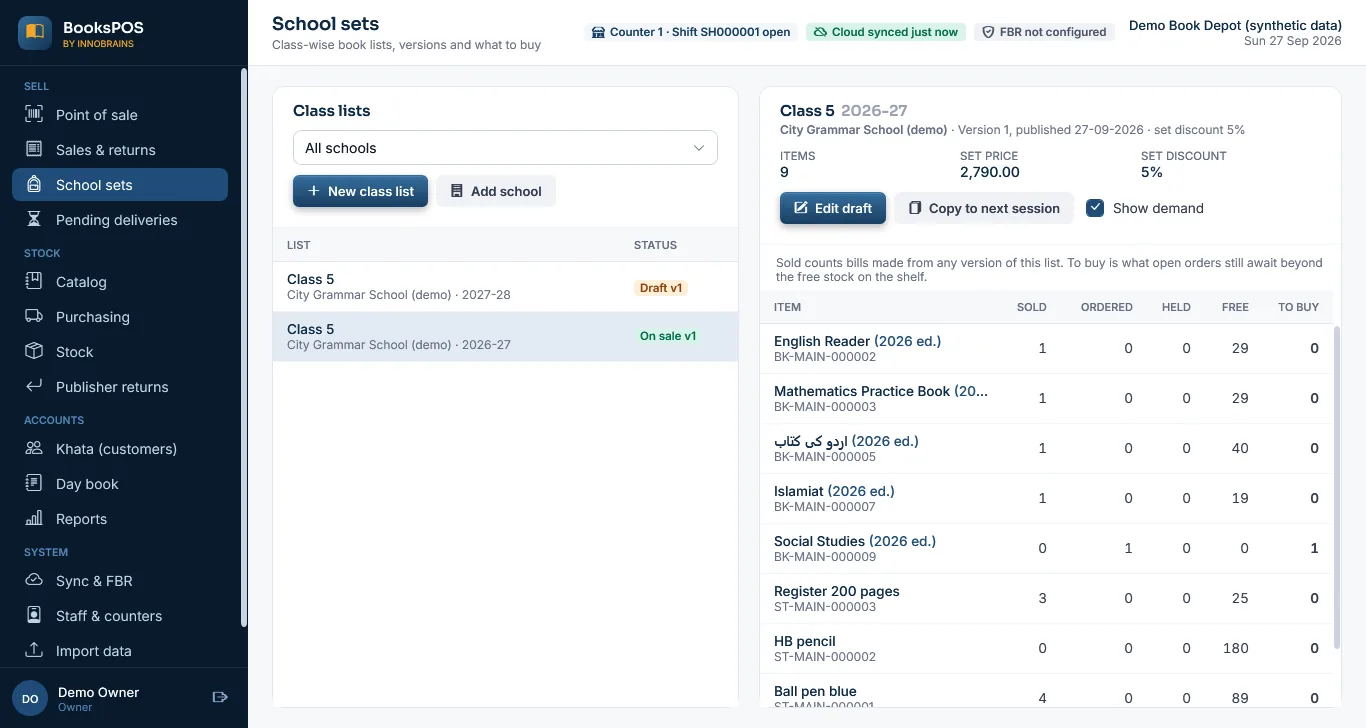
A list per school, session and section, such as Class 5 for 2026-27.
-
Versions that do not change
A list starts as a draft. Once published, that version never changes, so a later change is a new version and what was already sold stays as it was.
-
Compulsory, optional and consumable items
Each item on a list is one of these. Approved alternatives form a choice group, and the parent takes one of them.
-
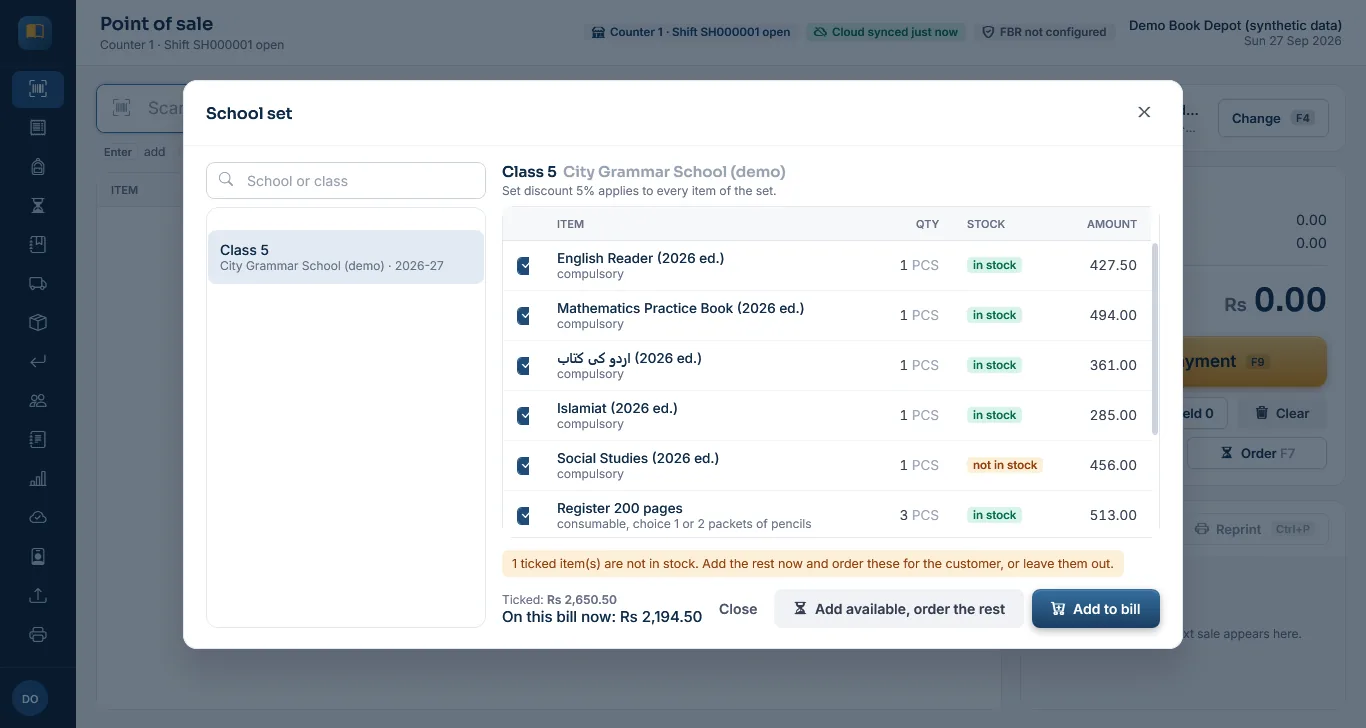
A set discount
The till applies it only to items added from the published list, not to anything else on the same bill.
-
School set at the till (F6)
Pick the class and untick what the parent does not need, such as a book they already have. Add to bill adds what is in stock; "Add available, order the rest" also orders the missing items for that customer.
-
Books still owed
Missing items become an order on Pending deliveries. When stock arrives it can be held for the parent, then handed over as a normal bill at the agreed price, paid from their advance if they have one. A pending-items slip can be printed; it says it is not a bill.
-
Next session
Copy a list to the next session as a draft. It cannot go live until it is changed, or its newer editions are reviewed and confirmed.
-
Demand per list
For each item: sold, ordered, held, free on the shelf and still to buy.
The limits, plainly
-
Not yet used in a shop
It was tested with automated tests, including a partial set with a substitute book and a later pickup, and with screenshots on synthetic demo data. No shop has run a school season on it.
-
Lists are typed in
Class lists are made on the store PC. Importing a school's list from a file is not built.
-
On the store PC only
Class lists, orders and demand are on the store PC. The cloud does not show or edit them.
-
Ordering is a separate step
The demand view shows what to buy; the purchase order to the publisher is then made on the Purchasing screen. Demand does not create orders by itself.
-
Printing
The pending-items slip prints in software, like receipts. It has not been tried on a real printer yet.
Tell us how your school lists work
If you sell school sets, a real (anonymised) book list and how you handle a missing title would help us test this before a real season. Contact us.
Want to try BooksPOS in your shop?
BooksPOS is in development and not yet production-ready. We are looking for a small number of book depots, stationers and wholesalers to pilot it with us. There is no public download yet.