Keeping book editions apart, so the shelf and the records agree
When a school changes the edition of a reader, the old and new copies are different stock at different prices. How BooksPOS keeps each edition as its own item, from import to the till to publisher returns.
Every school season some books change. A reader gets a new edition with a revised chapter, a publisher reprints a textbook with a new cover and price, a board updates a syllabus. On the shelf, the old copies and the new ones look alike. In the records they must not be: they are different stock, often at different prices, and a parent who needs the 2026 edition will not accept the 2025 one.
A general shop POS treats "English Reader 5" as one item and adds every delivery to the same stock count. The trouble starts quietly: the till says there are 40 copies, but 25 of them are last year's; a return goes back as the wrong edition; the publisher's return claim does not match what was sent. BooksPOS avoids this by design.
One item per edition
In BooksPOS, each edition or format is its own item with its own stock, its own prices and its own barcodes. The 2025 and the 2026 editions of the same reader are two items that happen to share a title. Receiving the new edition never changes what the shelf says about the old one.
The catalogue keeps the fields that tell editions apart: title, author, publisher, subject, class, board, language, year and binding. Search finds a book by title, author, item code, ISBN (with or without hyphens) or Urdu text, and shows each edition as its own line.
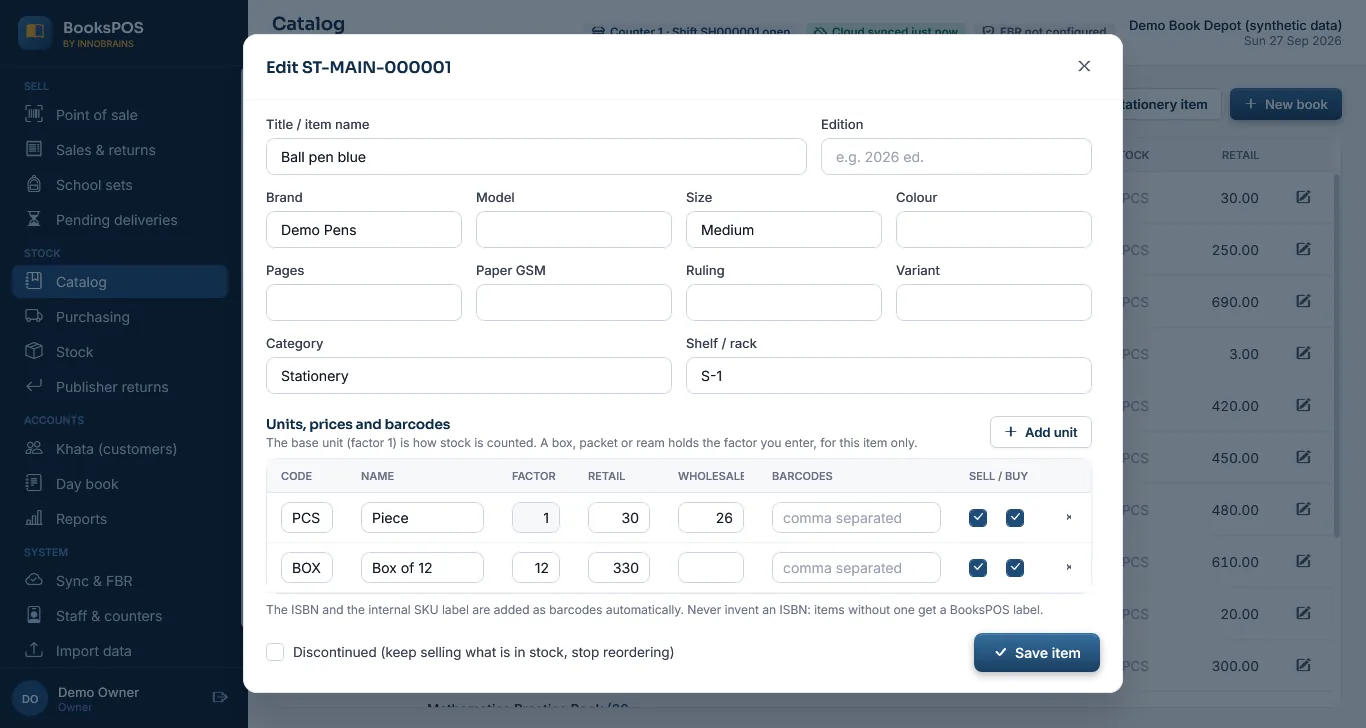
The item editor. Screenshot of the current build (26 Sep 2026), synthetic demo data.
ISBN, when there is one
A new edition usually has a new ISBN, and BooksPOS verifies its check digit when it is entered. Many school and local books have no ISBN at all; ISBN is optional, and such items get an internal code instead. BooksPOS never invents an ISBN to fill the gap. How ISBN check digits work.
Bringing editions in from your old list
If your old list has one row per title, split it into one row per edition before you import it. The CSV import treats each row as an item. When a row looks like another edition of a title already in BooksPOS, the import shows a warning, not an error, and the row becomes a separate item. How the import works.
Through the whole life of a copy
- Purchase: a publisher's bill is received against the edition it delivers. The same supplier bill number cannot be entered twice.
- Sale: the till sells the edition that was scanned or chosen, at that edition's price.
- Return: a customer's return goes back to the edition that was sold, because it is made against the original bill.
- Publisher return: books sent back become a claim at the net price last paid for that edition. Publisher returns.
- School sets: a class list names the edition it needs. Copying a list to the next session makes a draft that cannot go live until its newer editions are reviewed and confirmed. School course sets.
- Reports: the owner reports list old editions still in stock, so last year's copies can go back to the publisher or be cleared in time.
When a new edition arrives mid-season
- Add the new edition as a new item (or import it), with its own ISBN if it has one and its own price.
- Receive the delivery against the new item.
- If a school's class list names the old edition, make a new version of the list with the new item, and publish it. Bills already made on the old version stay as they were.
- Decide what happens to the old copies: keep selling them to customers who accept them, return them to the publisher, or clear them.
Common questions
Why not keep one item and just note the edition?
Because stock, price and returns are counted per item. With one item for two editions, the count on the screen mixes old and new copies, and a return or a publisher claim cannot say which edition it was.
Can two editions have the same barcode?
Each item has its own barcodes. If a publisher reuses a barcode for a new edition, give the new copies your own label, so the till always knows which edition it is billing.
Does a price change create a new edition?
No. A price change on the same edition is a dated price on the same item, and old bills keep their old prices. A new edition is a new item.
What happens to a school list when the edition changes?
A published list never changes. Make a new version with the new edition and publish it; what was sold on the old version stays as it was.
Can I see which old editions are still on the shelf?
Yes. The owner reports include old editions still in stock.
These features work in the current build and have not been used in a real shop yet. More on the book depot page.
Founder & CEO, Innobrains Technologies
Arshad Ali is the founder and CEO of Innobrains Technologies, the company that is building BooksPOS: point-of-sale, stock and khata software for book depots and stationers in Pakistan.
Run your book depot on BooksPOS
Billing, editions and ISBNs, school course sets, khata and advances, on the shop's own PC without internet. In development: pilot shops set it up with us.
Related guides
ISBN check digits explained, and why a wrong ISBN is refused
The last character of every ISBN is worked out from the others. Here is how the ISBN-10 and ISBN-13 check digits are calculated, how the two forms convert, and why BooksPOS refuses a wrong ISBN instead of guessing.
27 Sep 2026 · 5 minSelling stationery by the piece, the dozen and the box without double counting
Pencils come in boxes of 12, markers in boxes of 10, paper in reams of 500, and customers buy all of them loose too. How to set pack sizes per item so stock stays exact whichever way you sell.
27 Sep 2026 · 4 minSending unsold books back to a publisher without losing track of the claim
A box of books going back to a publisher is money you are owed until their credit note arrives. How BooksPOS records a publisher return as a claim, settles it with the credit note, and handles a shortfall.
27 Sep 2026 · 4 min